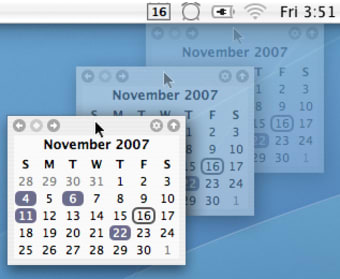
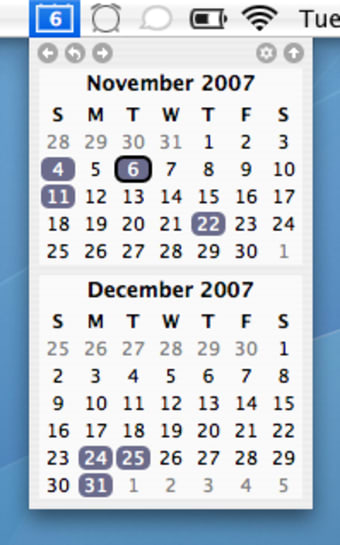
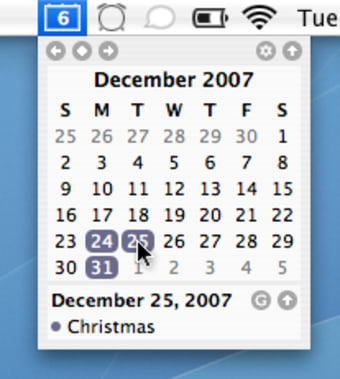
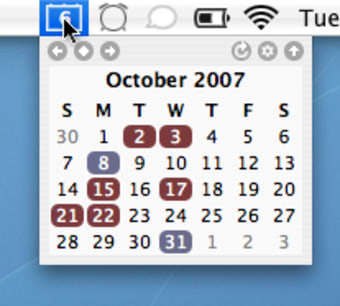
TinyCal appears in your menu bar as a drop down item. Even though the icon will not show the month nor date it will display the day. You can set multiple calendars to appear from the drop down, and have them either in a line or a row. TinyCal integrates both Google Calendar and iCal well, which does come in handy if you have different notes saved in each. It will also display days with corresponding events, which are shown right under the calendar.
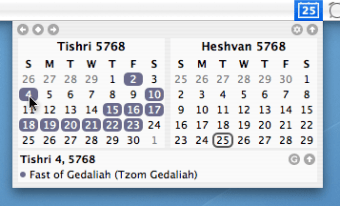
One of the strengths of the applications is that it is not limited to the Gregorian calendar but will also show Buddhist, Hebrew, Islamic and Japanese. Our only disappointment though is that you can't set the start day of the week, and will have to settle with Sunday.
TinyCal works great at integrating both your Google and iCal calendars.
TinyCal is a menubar calendar with Google Calendar integration. It can show multiple months, use custom calendars, and show holidays and personal calendars. TinyCal can be customized to show 1, 2, 3 or 12 months at one time. The display can be arranged as tall or wide. TinyCal can display public Google Calendars for holidays for 40 different countries, from Australia to Vietnam. It can also display events from your personal Google Calendar. The following screenshot shows holidays from the USA in blue and a personal calendar in red.
TinyCal can be customized to show other calendars, such as Buddhist, Hebrew, Islamic, and Japanese. The following screenshot show the Hebrew calendar with Jewish holidays. The TinyCal window is a tear-away menu that can be repositioned anywhere on the screen. In the TinyCal window, today's date is circled. In addition, if there are any events occurring today, they are reflected in the menubar icon. In the following screenshot, the blue triangle in the lower right indicates that there is an event today.
Laws concerning the use of this software vary from country to country. We do not encourage or condone the use of this program if it is in violation of these laws. Softonic may receive a referral fee if you click or buy any of the products featured here.


.png)






.webp)

.webp)